How Do Saved Payment Methods Work on Websites?
Shopping online today is very different than it was even a few years ago. Thanks to internet-savvy consumers who primarily shop on smartphones, websites and apps have evolved to meet high expectations around speed, simplicity, and security during checkout. Central to this transformation are saved payment methods and digital wallets, which streamline the purchase process by leveraging stored credentials and advanced technologies like biometrics. This post breaks down how saved payment methods work on websites, why they matter for checkout speed and account security, and what businesses can learn from phone-first checkout design.
The Phone-First Checkout Expectation
Mobile commerce now accounts for a majority of online shopping traffic worldwide. However, smaller screen sizes, slower typing speeds, and intermittent network connections mean users demand checkouts designed specifically for phones — not just desktop experiences shrunk down.
Customers expect:
- Fewer steps: Forms need to be shorter, and manually entering payment info should be minimized.
- Clear totals: Mobile users want upfront cost transparency to avoid surprises.
- Speed: Tapping through checkout must happen in seconds, not minutes.
- Security: They want reassurance their payment data is protected without extra friction.
Saved payment methods and digital wallets are the backbone solutions helping merchants meet those expectations effectively.
What Are Saved Payment Methods?
Saved payment methods refer to pre-stored customer payment information—like credit or debit card details—that websites or apps keep securely after a first purchase or explicit consent. This stored data, or stored credentials, allows returning customers to quickly choose a previously used payment option without manually entering card numbers, expiration dates, billing addresses, or CVVs again.
This capability improves checkout speed, reduces abandoned carts, and can increase conversion rates by making repeat purchases frictionless.
How They Are Stored
Different platforms and payment providers handle storage in diverse ways, but all reputable systems use encryption and tokenization to protect sensitive data. A common approach is that the actual credit card number is replaced with a “token”—a randomized identifier that is meaningless outside the payment ecosystem.
- Tokenization: Protects card data by substituting sensitive info with unique tokens.
- Encryption: Scrambles data both at rest and in transit to prevent interception.
- PCI Compliance: Merchants and payment services adhere to Payment Card Industry Data Security Standards, ensuring industry-grade security.
For example, platforms like Stripe, PayPal, and Braintree allow merchants to vault customer cards securely, then retrieve tokens for future purchases.
Digital Wallets and Their Role
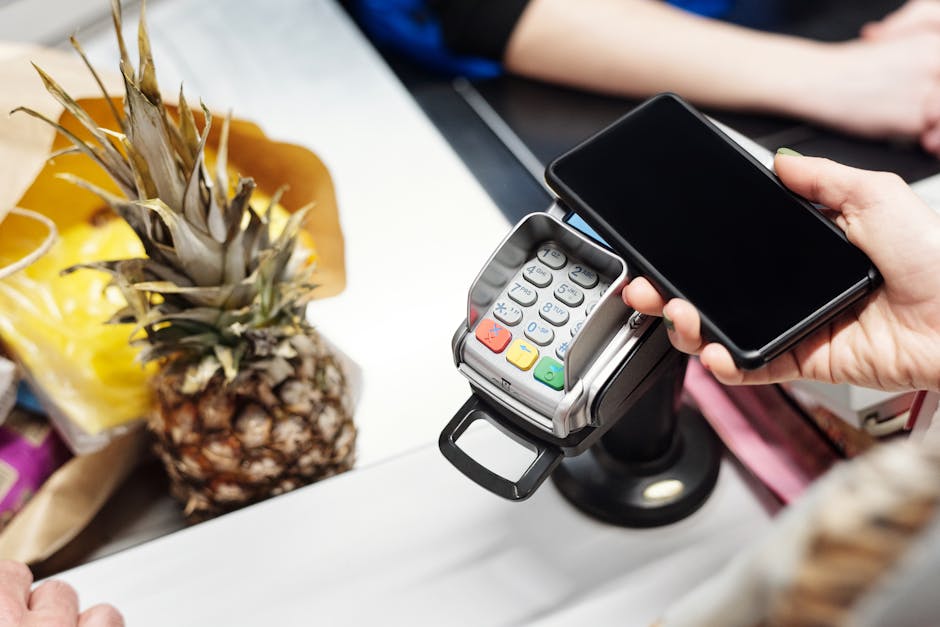
Digital wallets like Apple Pay, Google Pay, and Samsung Pay are one step ahead of traditional saved payment methods by combining saved payment credentials with device-level authentication and user-friendly interfaces. They provide an even smoother checkout experience, especially on mobile devices.
What Makes Digital Wallets Different?
- Centralized Payment Storage: Digital wallets store multiple cards and payment options centrally.
- Biometric Authentication: Use of Face ID, Touch ID, or fingerprint sensors adds a layer of security while reducing friction.
- Fast Tokenized Payments: When users pay through wallets, transactions use device-specific tokens instead of actual card data.
- Seamless Integration: Wallets integrate with mobile browsers and native apps, enabling near-instant payments.
For users, this means they can simply approve payments with a glance or fingerprint without typing card details or passwords.
Mobile UX: Fewer Steps, Clear Totals
The golden rule for mobile checkout is “less is more.” Saved payment methods drastically reduce the number of fields a buyer experiences. Instead of entering 5-10 fields for billing and payment, many checkouts boil down to just confirming Additional resources shipping and tapping a “Pay Now” button.
Traditional Credit Card Checkout Checkout with Saved Payment Method / Digital Wallet Enter card number Select saved card or Apple Pay Enter expiration date Review order summary Enter CVV Authenticate payment (fingerprint, Face ID) Enter billing address Tap “Pay Now”This streamlined process also includes a clear, upfront order total summary before final confirmation. Mobile users don’t want to hunt for the total cost or payment fees. Clarity here builds trust and reduces last-second cart abandonment.
How Biometrics Reduce Friction
One of the most compelling advantages of saved payment methods integrated into digital wallets is the use of biometrics to speed up authentication.
- Faster than passwords: Instead of typing complicated passwords or one-time codes, customers just use Face ID, Touch ID, or fingerprint scans.
- Better security: Biometrics are inherently hard to fake and often tied directly to the device, reducing fraud risk.
- Seamless integration: Biometrics work behind the scenes—users just get a fast, smooth experience.
By combining biometrics with saved payment credentials, merchants can maximize checkout speed without sacrificing account security.
Account Security Considerations
While saved payment methods improve convenience, security remains paramount. Customers and merchants must trust that sensitive financial data is safe.
Security Best Practices for Saved Payment Methods
- Tokenization: Never store raw credit card data on websites—use token vaulting services from PCI-compliant processors.
- Encryption in Transit and At Rest: Use SSL/TLS for data transmitted over the internet and encrypt stored data.
- Multi-Factor Authentication (MFA): Encourage or require MFA for user account sign-ins, combining passwords with SMS codes or authenticator apps.
- Biometric Security: Rely on device biometrics for payment authentication when possible.
- Regular Audits: Conduct regular security audits and comply with PCI DSS standards.
Customer Control and Transparency
Users want control over their saved payment methods. Good websites and apps provide easy ways to:
- Manage and delete saved cards
- See when and where payment credentials were last used
- Turn off saving payment methods or wallet usage if desired
Clear communication about how data is protected builds trust and encourages adoption.
Summary: Why Merchants Should Embrace Saved Payment Methods
In today’s mobile-first e-commerce world, saved payment methods and digital wallets are essential tools for enhancing user experience. They:
- Speed up checkout by reducing manual data entry
- Decrease cart abandonment with fewer friction points
- Increase purchase frequency by making repeat buys effortless
- Improve mobile UX with phone-first design principles
- Enhance security via tokenization, biometrics, and encryption
By understanding how saved payment methods work and adopting best practices, merchants can meet modern shopper expectations for speed and security, ultimately driving more sales and happier customers.
Further Reading & Resources
- Stripe Tokenization and Saved Cards
- Apple Pay Developer Guide
- Google Pay API Documentation
- PCI Security Standards Council